How to play
Everything you need for your first week on campus.
Play freeGetting started
- Open campussim.com.ng and create an account: a username, male or female, and a password.
- The game tells you if you are a Nepo Baby or a Lapo Baby, then you choose your faculty and department.
- You wake up at home. Check the To do list for what to do next, and open your phone for your timetable, map, jobs, money and chats.
Controls
On a phone
Hold the phone sideways. Use the stick to walk, drag the screen to turn the camera and pinch to zoom. Hold the round button to run (it tires you out). Walk up to things and tap the button that appears to use them.
On a computer
Walk with W A S D or the arrow keys, hold Shift to run, drag with the mouse to turn the camera and scroll to zoom. Press E or Space to use things.
Keyboard shortcuts
| W A S D / arrows | Walk (or drive) |
| Shift | Hold to run |
| E or Space | Use / interact |
| F | Get a ride (keke, taxi) |
| R | Car radio on and off |
| G | Dance and emotes |
| V | Voice chat mic on and off |
| P | Phone |
| C | Chats |
| M | Map |
| T | Things to do |
| N | Your needs |
| B | Home store (at home) |
| + / − | Zoom |
| Esc | Close what is open |
| H | Show the shortcuts in the game |
Classes and grades
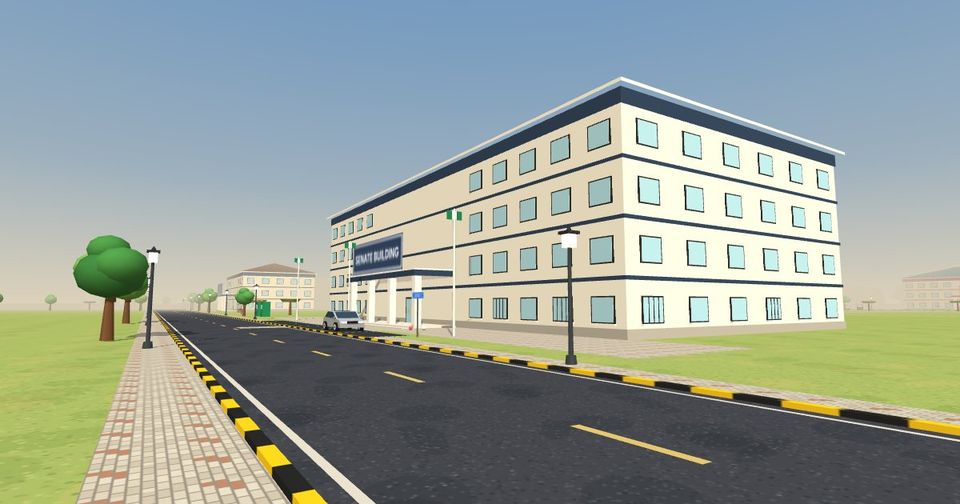
Your Portal app shows your timetable. Be at the right lecture hall when a class starts to get marked present. After each lecture you answer a few flashcards. At the end of the semester you write exams. Your grade for each course is 60% attendance and 40% flashcards (lectures and the exam, half each). Studying at the library raises your exam readiness.
Making money
Open the Jobs app on your phone. On campus you can tutor 100-level students, work as a library assistant or run photocopies at Adelabu Market. Off campus there are jobs like keke driver, suya vendor, tailor, market trader and event DJ. Lapo Babies earn 25% more from every job. Your allowance from home arrives every week, and you can send money to friends from the Bank app.
Looking after yourself
Keep an eye on your needs: Belly, Strength, Vibes, Fresh, Nature and Gist. Eat at home or at the bukka, sleep, shower, gist with friends and have fun. If your needs run low, everything gets harder.
Housing
Your Housing app lists places in Idu, Giri and Lugbe 2: shared rooms, a room each, or a house all to yourself. Pay your rent on time. Decorate with furniture from the Home Store, and invite friends over: they knock and you let them in.
Rides and cars
Tap Ride to wave down a keke or a taxi, or book one on your phone. Ride with friends and share the radio. Buy your own car from the Cars app; it parks in your compound at home.
Friends, chat and nightlife
Tap a player's name to chat. Add friends, send messages, post on the campus feed, talk with voice chat, and hug, dance or hold hands with friends (they are always asked first). On Friday nights head to Tozy for the party. To report or block someone, use the report button in their chat or on their post.

Install it like an app
Android: open the game in Chrome and tap Install when the game asks (or ⋮ menu → Install app). iPhone: open it in Safari, tap Share, then Add to Home Screen. It then opens full screen from your home screen, like a real app. Nothing to pay, no app store needed.
Ready? Your campus is waiting.
Free. No download. Plays in your browser, on any phone.
Play Campus Sim